This week brings two updates that cut down on busywork: you can now talk to Upheal Assistant instead of typing, and Reports got easier to use.
Speak to Upheal Assistant
Tap the microphone icon wherever you'd normally type to Assistant and speak your request instead. It works for anything you'd type: asking a question, requesting a summary, or dictating an update, so your hands stay free between clients.
Reports are now easier to use
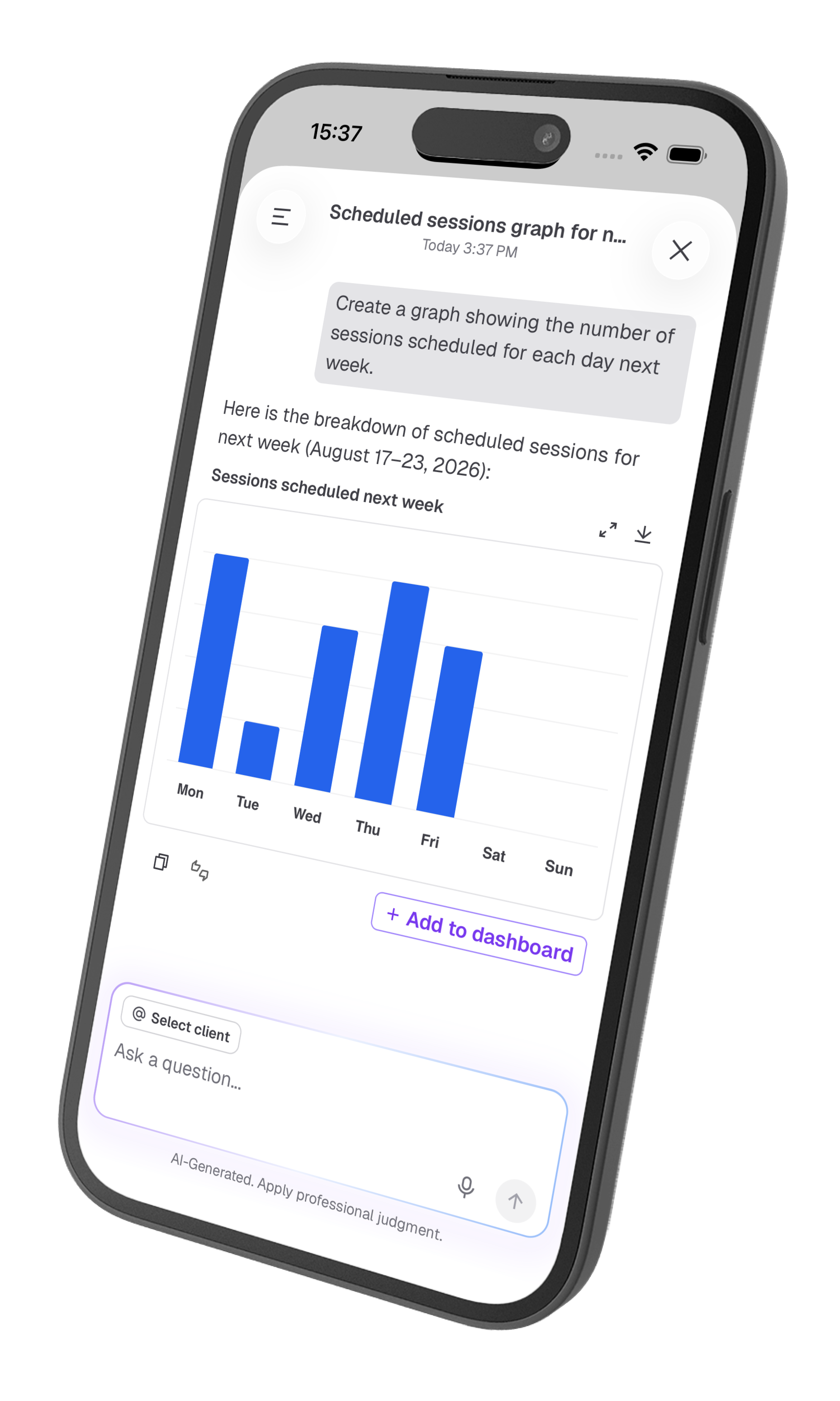
Download the data, not just the picture: open the menu on any report and choose Download report, then pick Image or Spreadsheet. The spreadsheet gives you the headline numbers and full chart values, handy for handing off to a bookkeeper or building your own summary. The image download and expanded view now include those headline stats too, so what you see matches what you get.
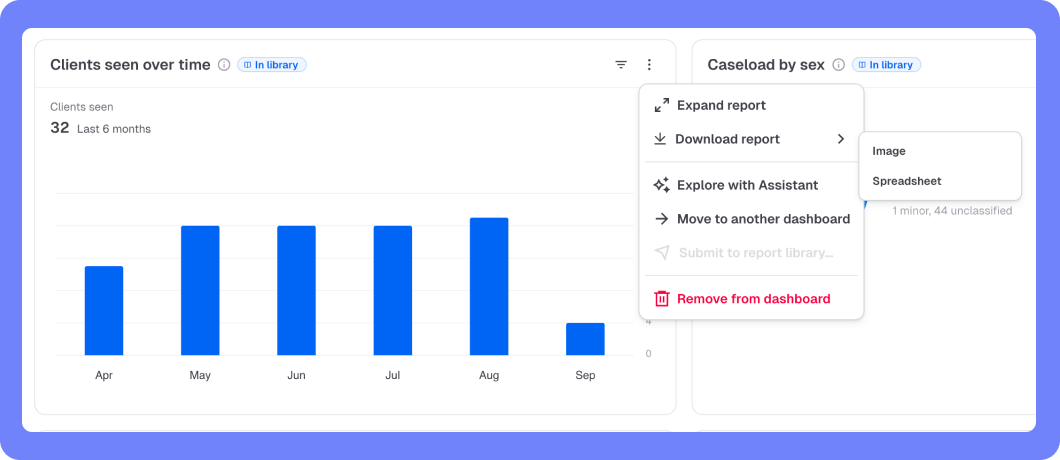
Ask Upheal Assistant about a report: choose Explore with Assistant from any report's menu to ask questions about it directly, the same way you'd ask about a session or client. Curious what's driving a trend, or want it explained in plain language? Just ask.
What's coming next
Assistant-generated files: ask Upheal Assistant for a letter, a summary, or a spreadsheet of unpaid invoices and get a finished, downloadable file back, not just text to copy and paste.
Reports is still in beta and free for everyone while we build it out. Request a report or see what's next on the roadmap.